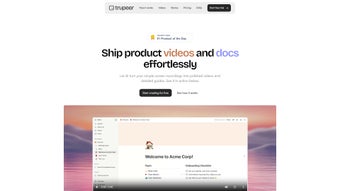

Download Trupeer – AI‑Powered Video Creation & Documentation Tool
Overview
Trupeer is an innovative, AI‑driven web application that transforms ordinary screen recordings into polished, professional‑grade videos and complete documentation guides. Designed for marketers, product teams, technical writers, and customer‑support specialists, Trupeer bridges the gap between raw capture and finished content with a seamless workflow that lives entirely in the browser. By pairing a lightweight Chrome extension with a powerful cloud‑based AI engine, users can record their screens, generate scripts, add voice‑overs, select backgrounds, and layer music—all without leaving the platform.
The result is a “one‑click” production line that delivers downloadable assets in multiple formats such as MP4, PDF, Word, and Markdown. Trupeer also includes automated screenshot capture, a word‑like editor for on‑the‑fly text tweaks, and upcoming multilingual translation support for over 30 languages. Whether you need a quick product demo, a detailed technical manual, or an onboarding tutorial for new customers, Trupeer promises to cut hours of manual editing down to minutes, while keeping the final output secure, high‑quality, and ready for distribution across Windows, Mac, Android, and iOS ecosystems.
Key Features that Set Trupeer Apart
- AI‑Generated Scripts & Voiceovers: After a screen capture, Trupeer’s natural‑language engine drafts a concise script and can synthesize a human‑like voiceover in several languages.
- Chrome Extension Recording: The lightweight extension captures high‑resolution video, audio, and mouse clicks directly from the browser, eliminating the need for third‑party screen recorders.
- Customizable Visuals: Choose from pre‑designed backgrounds, upload brand assets, and sync background music from an integrated royalty‑free library.
- Word‑Like Editing Interface: Edit generated text, add annotations, and format documentation using familiar toolbar controls.
- Multi‑Format Export: Download finished projects as MP4 video, PDF guide, Microsoft Word document, or Markdown file for easy integration into existing workflows.
- Automated Screenshot Capture: Trupeer extracts key frames automatically, creating thumbnail galleries and step‑by‑step visual aids.
- Future‑Ready Translation Engine: Planned support for instant translation into 30+ languages, enabling global distribution without additional tools.
- Secure Cloud Storage & Updates: All assets are stored in encrypted cloud containers, and the platform receives regular AI model updates to improve accuracy and style.
Why These Features Matter
In today’s fast‑paced digital landscape, creating high‑quality video tutorials and guides can be a bottleneck. Trupeer’s AI‑generated scripts eliminate the “writer’s block” that often stalls production, while the voice‑over engine saves the cost of hiring professional narrators. The Chrome extension means you never need to install bulky desktop software, making the tool ideal for remote teams that operate on Windows, Mac, or even Chrome OS devices.
Moreover, the multi‑format export ensures that the same content can be repurposed across internal knowledge bases, marketing channels, and e‑learning platforms without additional conversion steps. The upcoming translation feature is a strategic advantage for global companies looking to localize content quickly and securely. Overall, Trupeer combines the convenience of a SaaS app with the power of AI, delivering a secure, scalable solution that grows with your organization’s documentation needs.
Installation, Usage Instructions, and Compatibility
Step‑By‑Step Installation
- Visit the official Trupeer website and click the Download button for the Chrome extension.
- Confirm the installation prompt in the Chrome Web Store; the extension is free and signed by a verified publisher.
- Once installed, a small Trupeer icon appears in your browser toolbar, ready to launch recordings.
- Create an account using your corporate email or sign in with Google for a secure single sign‑on experience.
- Navigate to the Trupeer dashboard, select “New Project,” and choose the desired output format (video, PDF, Word, Markdown).
How to Use Trupeer Effectively
After installing the extension, click the Trupeer icon to start a screen capture. The AI automatically tracks mouse movements, clicks, and active windows. When you stop recording, the platform instantly begins script generation.
Review the auto‑draft, make edits in the built‑in editor, and select a voiceover style (male, female, neutral). Next, choose a background theme—corporate, minimal, or custom branding—and add a music track from the library or upload your own. Once satisfied, click “Render.” Trupeer’s cloud processors compile the video and accompanying documentation, which you can preview in real time.
When the render is complete, download the files directly or share a secure link with teammates. The entire workflow is designed to be completed in under 15 minutes for a typical 5‑minute tutorial, dramatically reducing the time compared to traditional video editing suites.
Operating System Compatibility (itemprop="operatingSystem")
Trupeer is a web‑based application, so it works on any modern operating system that supports Chrome or Chromium‑based browsers, including:
- Windows 10/11: Full functionality with 64‑bit support.
- macOS Catalina and later: Seamless integration with Safari (via extension) or Chrome.
- Linux distributions: Chrome/Chromium browsers provide full feature access.
- Android & iOS: Mobile browsers can view and download finished assets; however, screen recording is limited to desktop environments for optimal AI processing.
Pros & Cons (Review Object)
Pros:
- AI automates script writing and voiceover, saving time and money.
- No heavy desktop software; runs entirely in the browser.
- Multi‑format export covers most enterprise documentation needs.
- Secure cloud storage with regular AI model updates.
- Upcoming multilingual translation expands global reach.
Cons:
- Screen recording requires Chrome; not natively available for Firefox or Safari.
- AI voiceover options, while high quality, may lack the nuance of a professional narrator for highly technical content.
- Large video renders can take longer on slower internet connections.
Frequently Asked Questions & Final Thoughts
Is Trupeer free to use?
Trupeer offers a free tier that includes unlimited screen recordings, AI script generation, and basic video export. Premium plans unlock higher‑resolution renders, brand‑customized voiceovers, and priority cloud processing.
Can I export my project to PowerPoint?
Direct PowerPoint export isn’t built‑in, but you can download the video as MP4 and the guide as PDF or Word, then import those files into PowerPoint slides manually.
How secure is my data on Trupeer’s cloud?
All assets are stored in encrypted containers using TLS 1.3 for data in transit and AES‑256 at rest. Enterprise plans also support SSO and custom VPN access for added security.
Does Trupeer work on macOS without Chrome?
The recording extension is currently Chrome‑only, but the editing and rendering UI can be accessed via any modern browser, including Safari on macOS.
Will the AI handle technical jargon correctly?
Trupeer’s language model is trained on a broad corpus that includes technical terminology. Users can edit the auto‑generated script to fine‑tune any specialized terms before finalizing the voiceover.
Conclusion – Why You Should Download Trupeer Today
If you’re looking for a secure, fast, and AI‑enhanced way to turn screen recordings into professional videos and complete documentation, Trupeer is the answer. Its browser‑centric design removes the friction of installing bulky software, while the integrated AI takes care of scripting, voiceovers, and even future‑ready translations. The tool’s flexibility—supporting Windows, macOS, Linux, Android, and iOS for viewing—means you can share polished assets with any audience, whether internal teams or external customers.
With a generous free tier and scalable premium options, Trupeer fits startups, mid‑size firms, and large enterprises alike. Ready to streamline your content creation workflow? Download Trupeer now and experience the future of video documentation today.



.png)



